How to use Agricultural Exemption HOS
Last updated March 27, 2026
The Agricultural Exemption allows drivers transporting agricultural commodities to operate outside standard Hours of Service (HOS) rules within a limited radius. Follow the steps below to ensure proper use of this exemption in the Switchboard ELD app.
Requirements
Before using the Agricultural Exemption, make sure:
- Your country is set to the United States (US) in the app settings.
- Your driver profile/module is correctly configured.
How to Enable Agricultural Exemption
- Switch Duty Status
- Change your duty status to Off Duty in the app.
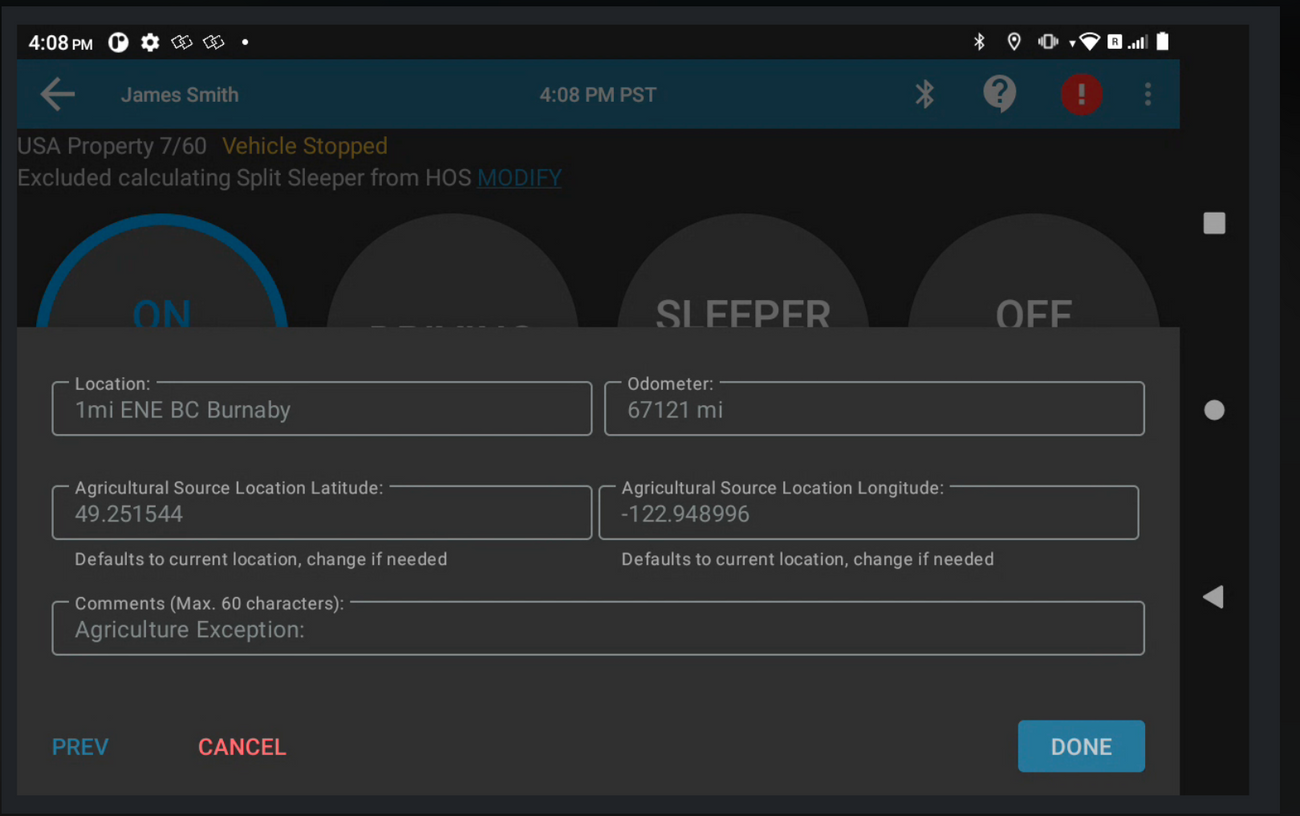
- Set Your Location
- When prompted, enter your current location.
- Operate Within the 150-Mile Radius
- As long as you remain within a 150 air-mile radius of the location you entered:
- The app will keep you in Off Duty status.
- It will not automatically switch you to Driving, even while the vehicle is in motion.
Important Notes
- There is no separate “Agriculture Cycle” to select.
- The exemption works with all US HOS cycles, provided your driver settings are correct.
- If you leave the 150-mile radius, normal HOS rules will resume, and the app may automatically update your duty status.
Best Practices
- Always verify your location entry before starting your trip.
- Monitor your distance to ensure you remain within the 150-mile exemption zone.
- Confirm your duty status regularly to avoid compliance issues.
By following these steps, you can correctly apply the Agricultural Exemption in Switchboard ELD and remain compliant with US HOS regulations.
Was this article helpful?