Highway Integration with Switchboard
Last updated March 11, 2026
This guide helps resolve common issues when integrating Highway with Switchboard ELD. If data is not syncing correctly, review the steps below to ensure all required information is accurate.
💡Note: This feature is only available for companies that have the Switchboard Cloud Platform feature enabled. To learn more, go here: Switchboard Fleet Management
1. Verify API ID and API Key
Highway requires a valid API ID and API Key from Switchboard to establish a successful connection.
What to check:
- Confirm that the API ID and API Key entered in Highway are correct and active.
- Ensure there are no extra spaces or missing characters when copying and pasting the credentials.
How to generate an API ID and Key:
- Follow the instructions in the Switchboard support article to generate your credentials: Tracking & Integration Set Up
If the credentials were recently generated or updated, allow a few minutes and retry the integration.
2. Confirm Unit ID and VIN Match
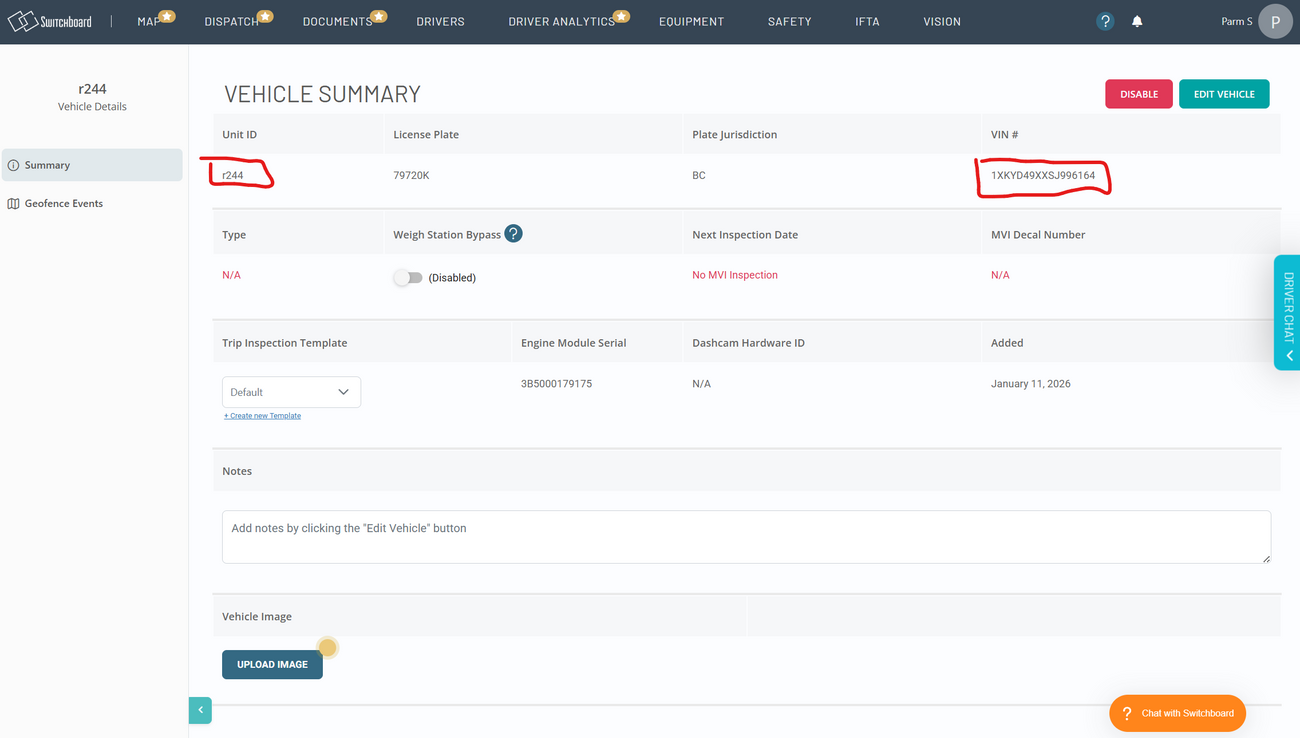
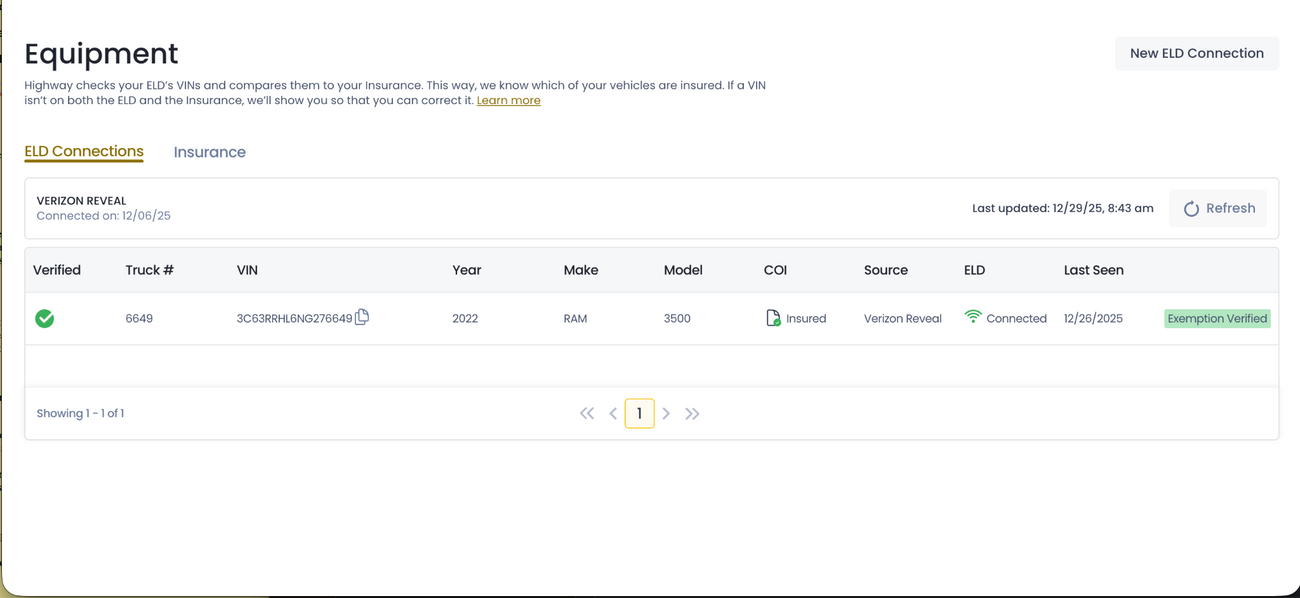
Highway matches vehicles using the Unit ID and VIN number. If these values do not match exactly, data will not sync.
What to check:
- The Unit ID entered in Highway matches the Unit ID in Switchboard.
- The VIN number entered in Highway is accurate and complete (no missing or extra characters).
One common reason why the integration does not work is because the COI details do match the Switchboard vehicle information. To fix this, you will need go to Switchboard equipment page , or the Highway equipment page to ensure that the Unit ID and VIN match.
Where to find this information:
- Log in to Switchboard and navigate to: https://app.onswitchboard.com/equipment
- Locate the vehicle and verify the Unit ID and VIN listed.
3. Still Not Working?
If the API credentials and vehicle details are correct and data is still not flowing:
- Re-save the integration settings in Highway
- Confirm the vehicle is actively reporting data in Switchboard
- Contact Highway or Switchboard support with screenshots of the configuration for further assistance
- Highway Support: service@highway.com
- Switchboard Support: support@onswitchboard.com